
Calls
Your phone's calls on your computer
Phone charging in another room? You won't miss a call: the computer shows who's calling, and on Linux you can even answer through the computer's headset.
No ADB
Works in base mode: just the SeamDroid app on the phone, no developer options.
What it does
- Who's calling — an incoming call notification on the computer.
- Answer or decline right in the notification on the computer.
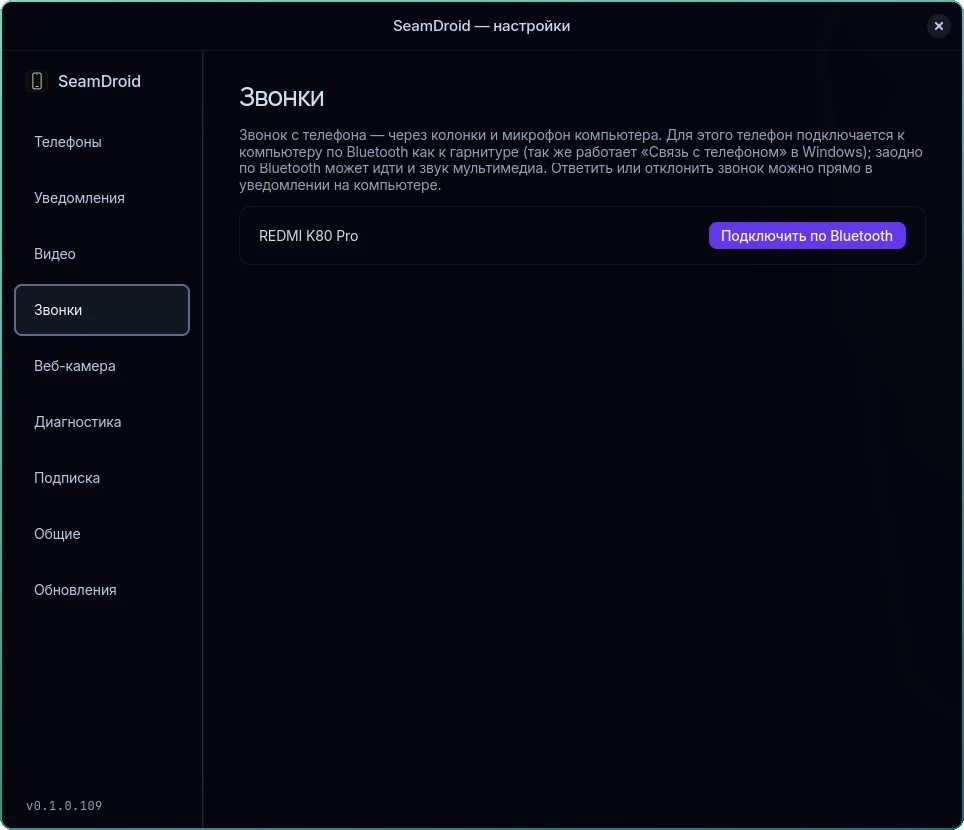
- Talk through the computer (Linux): the phone connects to the computer over Bluetooth as to a headset, and the call goes through the computer's speakers and microphone.
How to turn it on
- Connect the phone to SeamDroid — the app and a QR code pairing are enough.
- Activate a subscription: calls, like notifications, are part of it.
- To talk through the computer (Linux): in the settings open Calls → Connect over Bluetooth and confirm the code on the phone. The computer needs Bluetooth.
Questions and answers
Do I need developer options?
No. Calls work in base mode, through the SeamDroid app on the phone.
Can I talk through the computer on Windows?
Not yet: on Windows you see who's calling, and you talk on the phone.
How much is it?
Calls come with the subscription, together with notifications.
Ready to try it?
Start for free: download SeamDroid for Linux or Windows.