
Audio
Your phone's sound on your computer
Music, video and game sound from the phone play through the computer's speakers or headphones — no switching your headset between devices.
Needs full mode (ADB)
Works over wireless or USB debugging — ADB. Turn it on once in the phone's developer options; no root needed. How to turn it on
How it works
- The phone's app audio goes to the output selected on the computer: speakers, headphones, a headset.
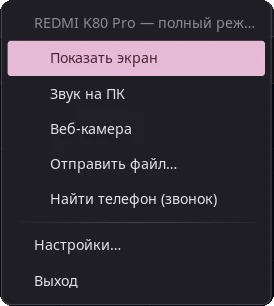
- Turn it on and off in the tray menu: Sound on PC. With several phones, each one's sound is turned on separately.
- Handy together with the phone screen in a window: watch the phone's videos on your monitor with sound.
Windows: sound over Bluetooth
On Windows the sound can also come over Bluetooth — no ADB needed then: the computer becomes a Bluetooth speaker for the phone. Pair the phone with the computer in Windows' Bluetooth settings and turn it on in SeamDroid → Bluetooth sound.
Questions and answers
Is it free?
Yes, audio on the computer is in the free version.
Do calls play the same way?
Call audio is separate: on Linux you can talk through the computer over Bluetooth — see calls on your computer.
Ready to try it?
Start for free: download SeamDroid for Linux or Windows.